

SPL Lockers
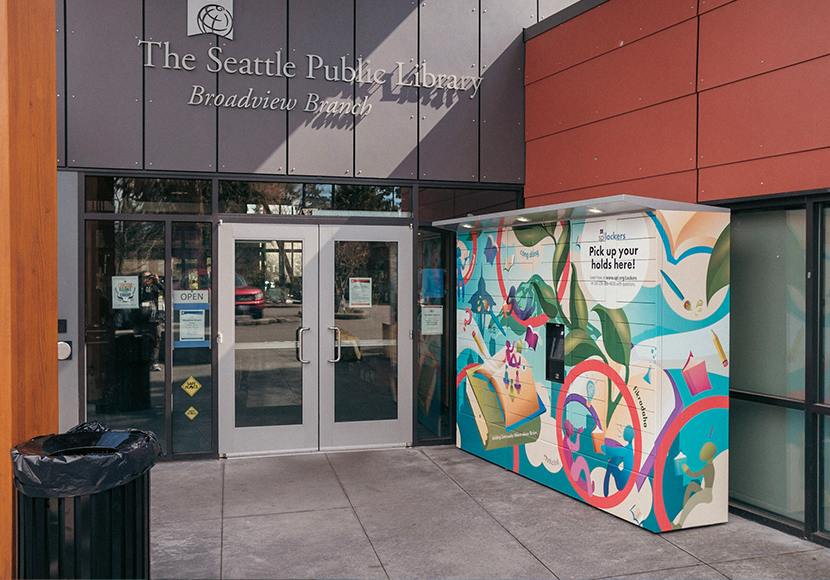
Pick up your Library materials from one of our convenient 24-hour lockers located at the Ballard, Beacon Hill, Broadview, High Point, Montlake, Northeast and Rainier Beach Branches.
How to Use SPL Lockers
Place Your Holds
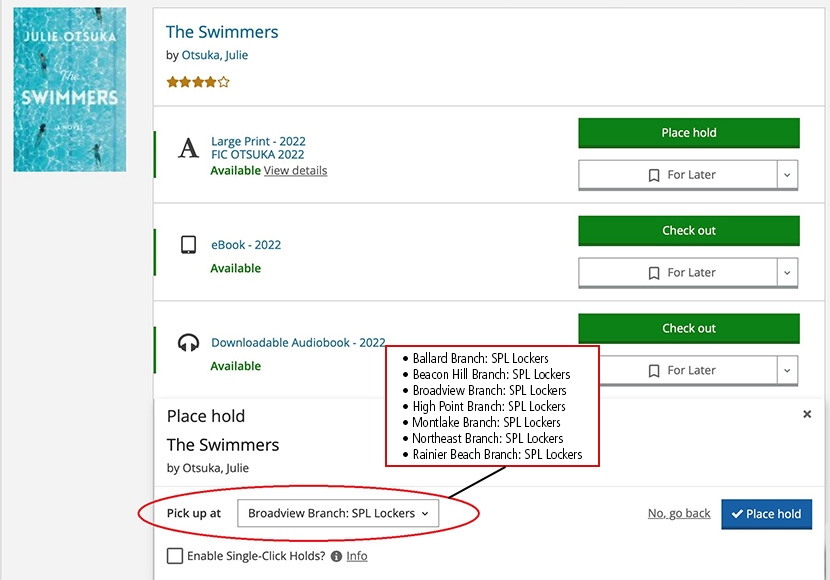
- When you place your holds in our catalog, select one of the following as your pickup location:
- Ballard Branch: SPL Lockers
- Beacon Hill Branch: SPL Lockers
- Broadview Branch: SPL Lockers
- High Point Branch: SPL Lockers
- Montlake Branch: SPL Lockers
- Northeast Branch: SPL Lockers
- Rainier Beach Branch: SPL Lockers
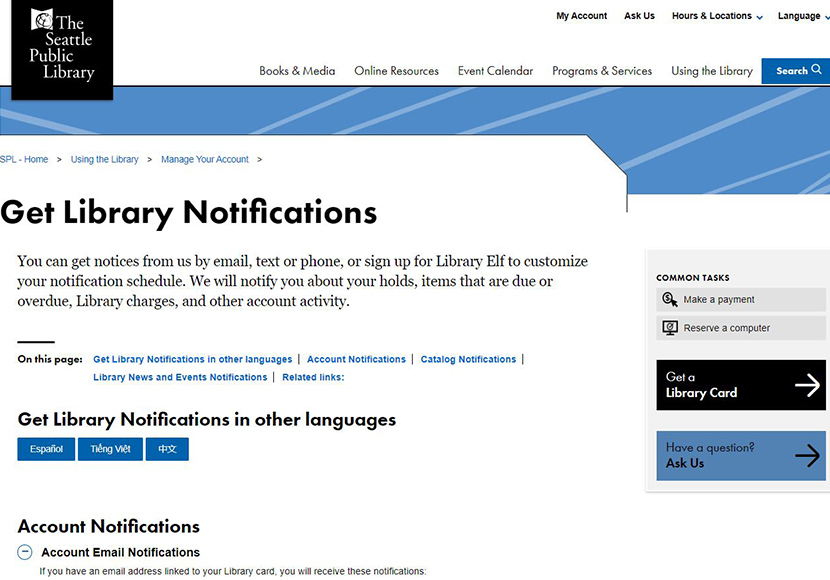
- We will notify you when your holds are ready to pick up. Learn how to get notifications by text, email or phone on our Notifications page, including email and texts in English, Spanish, Vietnamese and Chinese.
Pick up Your Holds
- We will hold your items in the locker for up to 72 hours.
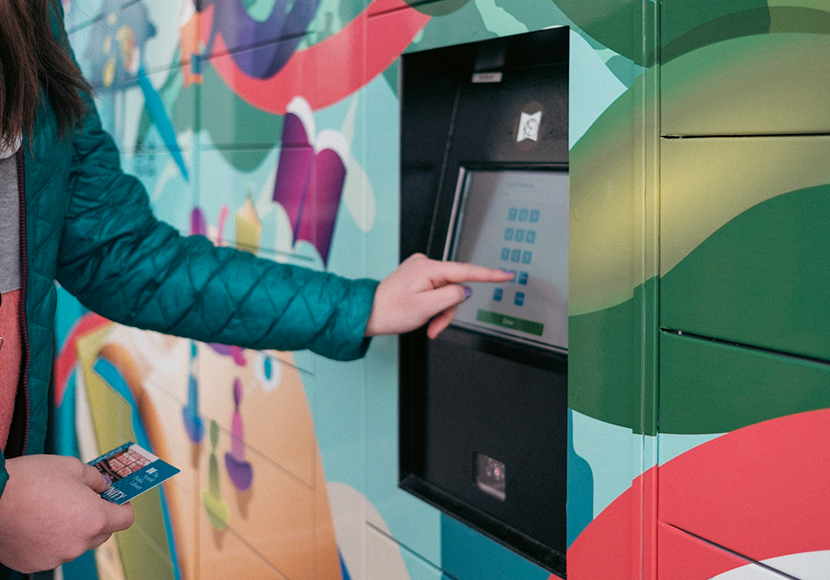
- When you arrive at the lockers, enter your Library card number and PIN on the touch screen.
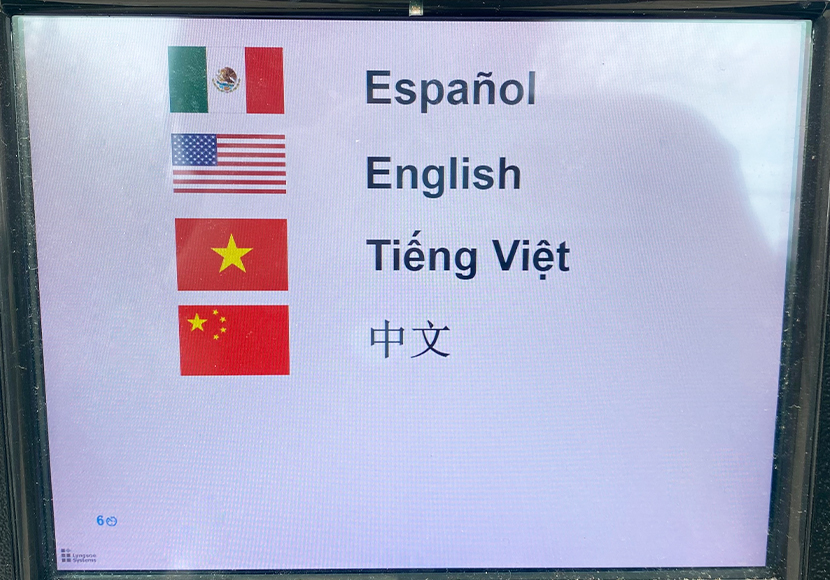
- SPL Lockers interface instructions are available in English, Spanish, Vietnamese and Chinese.
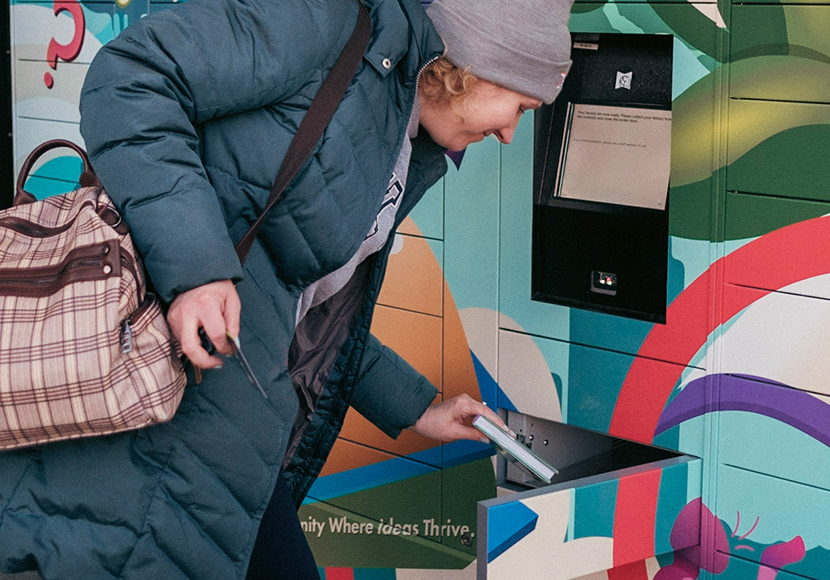
- A locker will open for you to retrieve your items. Items are checked out to you when the locker opens.
- Please remove all items before you close the locker. Do not leave any returns in the locker; use the branch Book Return to return items.
- If you have trouble opening the locker, please talk to Library staff or call the number posted at the branch during Library open hours.
- If you would like to request lower lockers for pick-up, please ask a staff member or Ask Us to update your account.
How to Use SPL Lockers in Your Language
Cómo utilizar los casilleros de SPL
Haga sus reservas
- Cuando haga sus reservas en nuestro catálogo, seleccione uno de los siguientes casilleros como su lugar de recojo:
- Ballard Branch: SPL Lockers
- Beacon Hill Branch: SPL Lockers
- Broadview Branch: SPL Lockers
- High Point Branch: SPL Lockers
- Montlake Branch: SPL Lockers
- Northeast Branch: SPL Lockers
- Rainier Beach Branch: SPL Lockers
- Le avisaremos cuando sus reservas estén listas para recogerlas. Aprenda cómo recibir notificaciones por mensaje de texto, correo electrónico o teléfono en nuestra página de Notificaciones, que incluye información sobre correos electrónicos y mensajes de texto en español, inglés, chino y vietnamita.
Recoja sus reservas
- Mantendremos sus artículos en el casillero hasta 72 horas.
- Cuando llegue a los casilleros, ingrese su número de tarjeta de la Biblioteca y PIN en la pantalla táctil.
- Las instrucciones de la interfaz de los casilleros de SPL están disponibles en español, inglés, chino y vietnamita.
- Se abrirá un casillero para que pueda retirar sus artículos. Los artículos se consideran prestados cuando se abre el casillero.
- Por favor remueva todos los artículos antes de cerrar la puerta del casillero. No deje ninguna devolución en el casillero; utilice el Buzón de Libros de la sucursal para devolver los artículos.
- Si tiene problemas para abrir el casillero, por favor hable con el personal de la Biblioteca o llame al número que aparece en la sucursal durante el horario de atención de la Biblioteca.
- Si desea solicitar casilleros inferiores para poder recoger sus préstamos, pregunte a un miembro del personal o Pregúntenos para actualizar su cuenta.
Cách Sử Dụng Các Tủ Khóa Đựng Đồ của SPL
Đặt Giữ Các Món Đồ Của Quý Vị
- Khi quý vị đặt giữ các món đồ trong danh mục của chúng tôi, xin vui lòng chọn những lựa chọn sau đây là nơi mà quý vị sẽ đến nhận món đồ:
- Ballard Branch: SPL Lockers
- Beacon Hill Branch: SPL Lockers
- Broadview Branch: SPL Lockers
- High Point Branch: SPL Lockers
- Montlake Branch: SPL Lockers
- Northeast Branch: SPL Lockers
- Rainier Beach Branch: SPL Lockers
- Chúng tôi sẽ thông báo cho quý vị biết khi nào mà các món đồ đặt giữ của quý vị đã sẵn sàng để được đến nhận. Tìm hiểu cách để nhận thông báo bằng tin nhắn, email hoặc qua điện thoại trên trang Thông Báo (Notifications) của chúng tôi. Các thông báo này bao gồm email và tin nhắn bằng tiếng Anh, tiếng Tây Ban Nha, tiếng Việt và tiếng Trung Quốc.
Nhận Các Món Đồ Của Quý Vị
- Chúng tôi sẽ giữ các món đồ của quý vị trong các tủ khoá tối đa là 72 tiếng.
- Khi quý vị tới tủ khoá, hãy nhập số thẻ Thư viện và mật mã PIN của quý vị trên màn hình cảm ứng.
- Các hướng dẫn trên màn hình của Tủ Khóa SPL được hiển thị bằng tiếng Anh, tiếng Tây Ban Nha, tiếng Việt và tiếng Trung Quốc.
- Tủ khóa sẽ mở ra để quý vị có thể lấy các món đồ. Các món đồ được giao cho quý vị giữ khi mà tủ khóa mở ra.
- Xin vui lòng hãy lấy hết các món đồ trước khi đóng cửa tủ khoá lại. Đừng để bất kì món đồ trả lại nào trong tủ khoá; hãy sử dụng Nơi Trả Sách tại các chi nhánh Thư viện để trả các món đồ.
- Nếu quý vị gặp trục trặc trong việc mở các tủ khoá, xin hãy nói chuyện với một nhân viên Thư viện hoặc gọi số điện thoại được niêm yết trong giờ mở cửa của chi nhánh.
- Nếu bạn muốn yêu cầu lấy tủ khóa thấp hơn, vui lòng yêu cầu nhân viên hoặc Hỏi chúng tôi để cập nhật tài khoản của bạn.
如何使用西雅图图书馆的储物柜
存放你的物品
- 当您将您的货品放入我们的目录清单时,请选择以下其中一项作为您的取货地点:
- Ballard Branch: SPL Lockers
- Beacon Hill Branch: SPL Lockers
- Broadview Branch: SPL Lockers
- High Point Branch: SPL Lockers
- Montlake Branch: SPL Lockers
- Northeast Branch: SPL Lockers
- Rainier Beach Branch: SPL Lockers
- 当您的货品准备好取货时,我们会通知您。在我们的通知页面上了解如何通过短信、电子邮件或电话接收通知(包括英语、西班牙语、越南语和中文的电子邮件和短信)。
取出你的物品
- 您可以将您的物品在储物柜中存放不超过72小时。
- 当您到达储物柜时,在触摸屏上输入您的借书证号码和PIN码。
- 西雅图图书馆的储物柜界面说明提供英语、西班牙语、越南语和中文版本。
- 储物柜将打开供您取回物品。 当储物柜打开时,物品就属于“已取出”状态。
- 请在关闭储物柜之前取出所有物品。不要在储物柜中留下任何您准备退还的物品。您可以使用分馆还书处来退还物品。
- 如果您在打开储物柜时遇到问题,请与图书馆工作人员联系,或在图书馆开放时间内拨打分馆张贴的电话号码。
- 如果您想申请更低的储物柜,请咨询工作人员或咨询我们更新您的账户。
如何使用西雅圖圖書館的置物櫃
存放你的物品
- 當您將您的貨品放入我們的目錄清單時,請選擇以下其中一項作為您的取貨地點:
- Ballard Branch: SPL Lockers
- Beacon Hill Branch: SPL Lockers
- Broadview Branch: SPL Lockers
- High Point Branch: SPL Lockers
- Montlake Branch: SPL Lockers
- Northeast Branch: SPL Lockers
- Rainier Beach Branch: SPL Lockers
- 當您的貨品準備好取貨時,我們會通知您。 在我們的通知頁面上了解如何透過簡訊、電子郵件或電話接收通知(包括英語、西班牙語、越南語和中文的電子郵件和簡訊)。
取出你的物品
- 您可以將您的物品存放在儲物櫃中不超過72小時。
- 當您到達儲物櫃時,在觸控螢幕上輸入您的借書證號碼和PIN碼。
- 西雅圖圖書館的儲物櫃介面說明提供英文、西班牙文、越南語和中文版本。
- 儲物櫃將打開供您取回物品。 當儲物櫃打開時,物品就屬於「已取出」狀態。
- 請在關閉儲物櫃之前取出所有物品。 不要在儲物櫃中留下任何您準備退還的物品。 您可以使用分館還書處來退還物品。
- 如果您在打開儲物櫃時遇到問題,請與圖書館工作人員聯繫,或在圖書館開放時間內撥打分館張貼的電話號碼。
- 如果您想申請更低的儲物櫃,請諮詢工作人員或諮詢我們更新您的帳戶。